Merchandising Widgets
Grow average order value with Shopify upsells and cross-sells
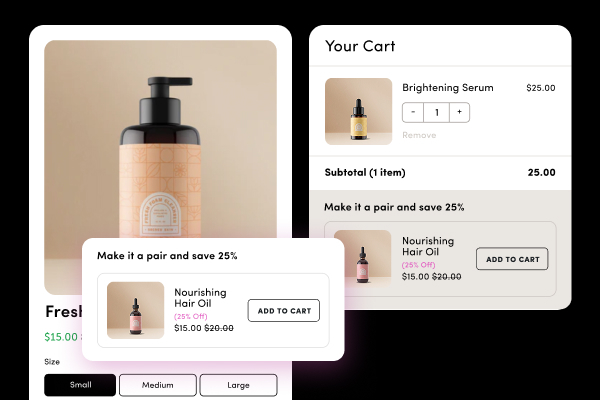
Put frequently bought together, related products, and add-ons on every page of your store. Rebuy AI shows each shopper what they're likely to add next, and your own rules take over when you're pushing a new launch, a higher-margin add-on, or extra stock.


-
![Merchandising Widgets embedded in cart]()
Merchandising for Shopify
What are Rebuy Merchandising Widgets?
Rebuy Merchandising Widgets are upsell and cross-sell displays for Shopify stores. Each widget shows a set of products, like frequently bought together, related products, add-ons, or complete the look. You decide whether Rebuy AI recommends them, your own rules set them, or both.
Widgets install through Shopify's theme editor, so there's no theme code to change. They work on any page of your store, in pop-ups, and in emails.
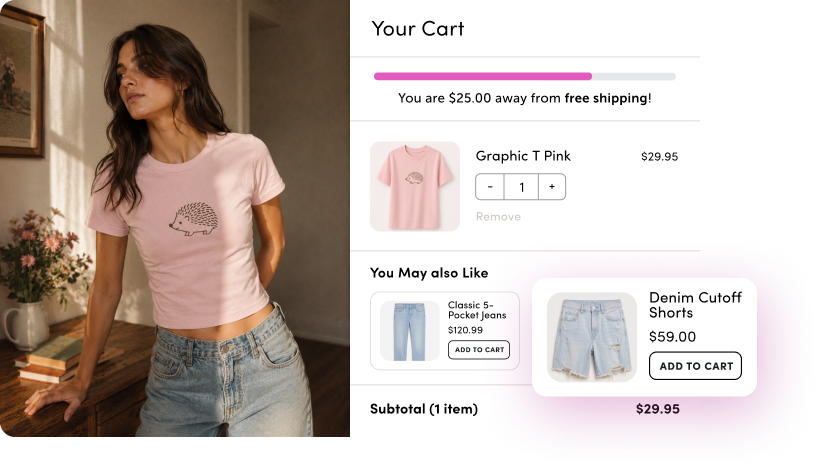
Why Rebuy Merchandising Widgets?
Bigger orders, without the dev backlog
-
10%Average AOV boost
-
8%Increase in revenue
-
42XAverage ROI
-
![Recommendation engine UI]()
One engine behind every widget
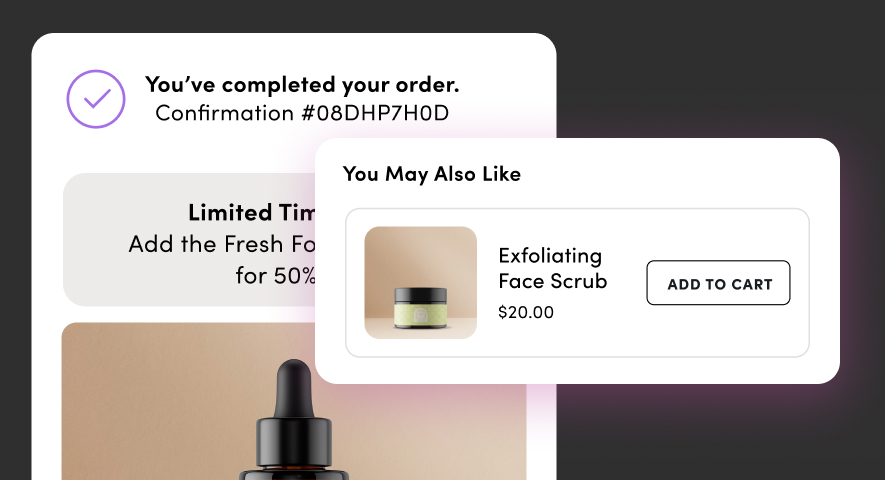
Product page, homepage, cart, and email widgets all run on the same Rebuy AI and the same rules, so you manage one tool instead of a separate app for each placement.
-
![Merchandising Rules UI]()
Your team sets the rules
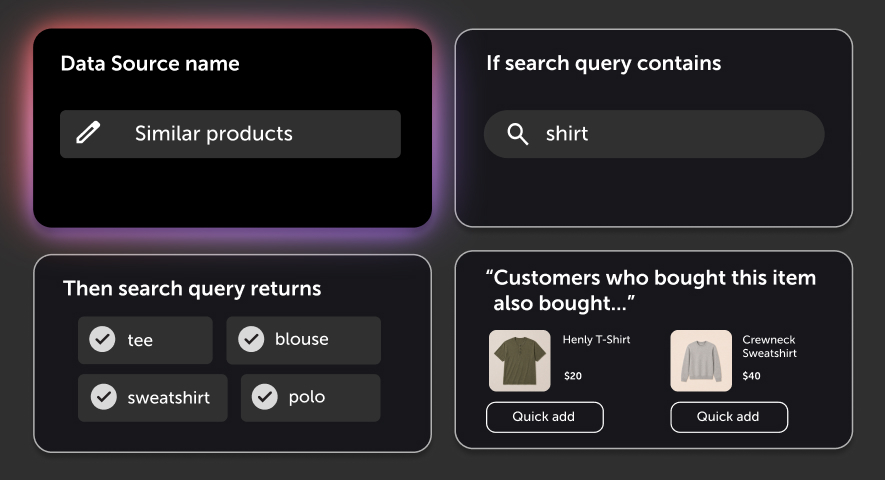
Build and publish merchandising experiences through a rules-based interface that your team manages directly. Control what shows, when it shows, and to whom, without opening a dev ticket.
-
![AI recommendations improve over time]()
AI that learns from every shopper
Rebuy AI trains on billions of real-time shopper signals (purchase history, browsing behavior, and cart content) and improves continuously. The longer it runs, the more accurately it surfaces what each shopper is likely to buy next.
-
![Merchandising widgets AB testing UI]()
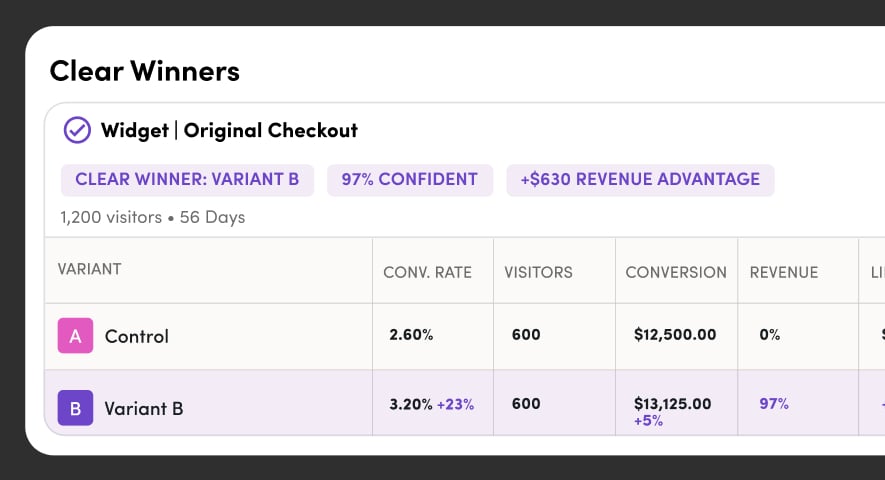
A/B test every widget
Test every merchandising widget across the full customer journey. Rebuy surfaces exactly what's driving results so you can amplify what works and retire what isn't.
See Merchandising Widgets on your own store
Book a demo and we'll show you which upsells and cross-sells fit your store.
Book a demo-
![merchandising-widgets-recs-brand-light]()
Product page cross-sells
Frequently bought together, right next to Add to cart
Rebuy AI reads purchase history, browsing behavior, and cart contents to show each shopper the frequently bought together items, related products, and add-ons they're most likely to want. It starts working as soon as the widget is live, and you can set the products yourself whenever you want.
-
![Dynamic product bundles]()
Bundle upsells
Turn single-item purchases into multi-item orders
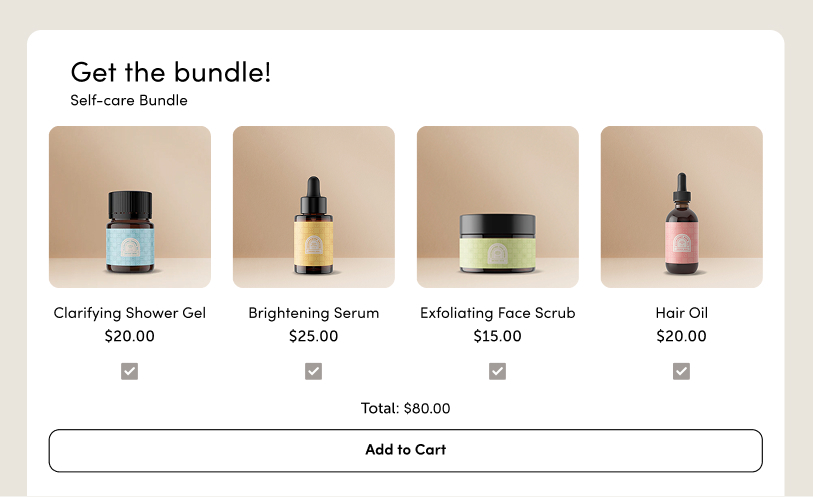
Rebuy Dynamic Bundles automatically surface personalized product combinations on your product pages, giving shoppers a fast path to adding more without interrupting their flow.
Features
- Flexible bundling logic
- Product and variant selectors
- One-click add for the entire bundle
- Single offer or subscription bundles
-
![Subscription upsells and downsells]()
Subscription upsells and downsells
Turn one-time buyers into subscribers
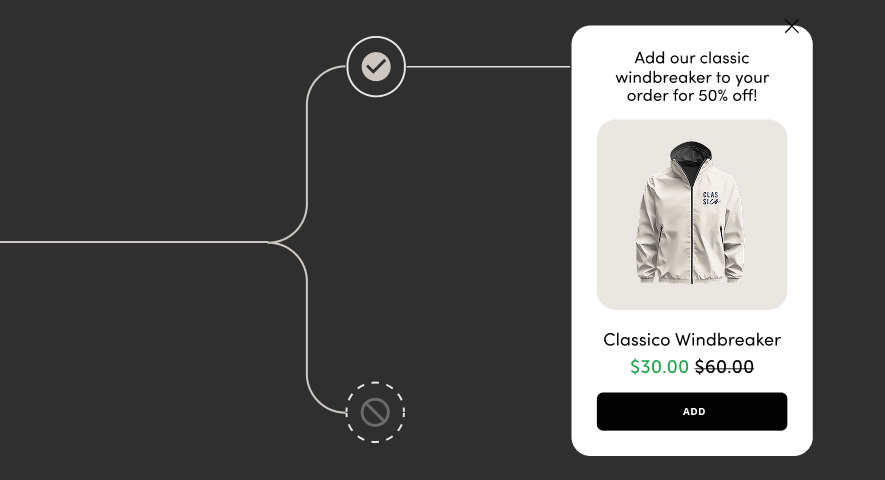
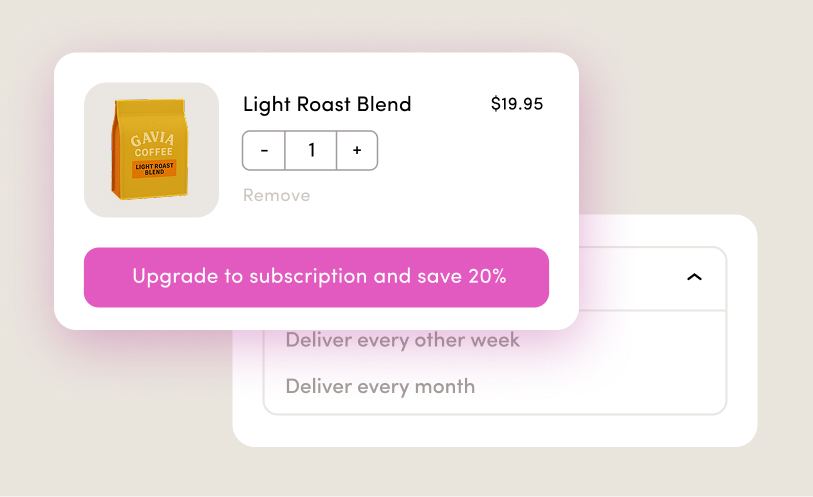
Create one-click subscription offers that reduce friction and increase lifetime value. Flexible display options, custom rules, and audience segmentation let you build experiences that fit your brand, without dev support.
Features
- Custom modals, embedded links, and pop-ups
- Dynamic or manual placements
- Custom display options and layouts
- Subscription and product limits
Upsell and cross-sell widgets
Nine ways to grow the order
Start with frequently bought together on your product pages, then add the widgets that fit your catalog and calendar.
-
![Gift with purchase]()
Reward bigger carts
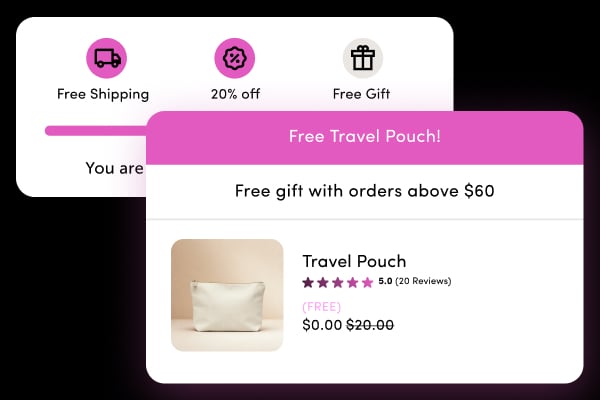
Gift with purchase
Turn order thresholds into buying moments. Show shoppers a free gift when they hit a cart value or add a qualifying product.
-
![Trending products]()
Capitalize on momentum
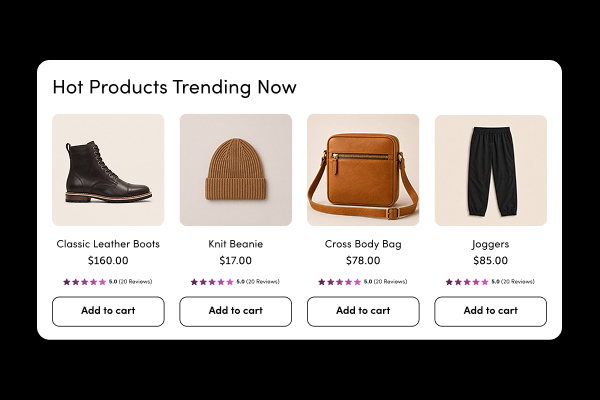
Trending products
Display products that are in demand right now and gaining momentum. Rebuy AI analyzes 30-day sales data to identify items with a recent surge in purchase activity, then surfaces them wherever you place the widget.
-
![Mystery gift]()
Create excitement
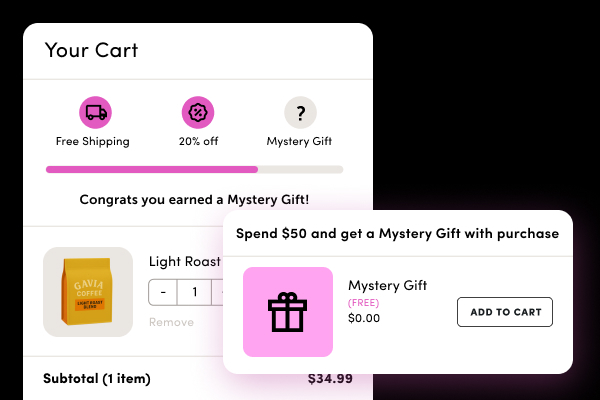
Mystery gift
Add an element of surprise to the buying experience with a locked reward that unlocks at a qualifying threshold. Shoppers see what they're working toward, creating urgency without pressure.
-
![Complete the look]()
Increase basket size
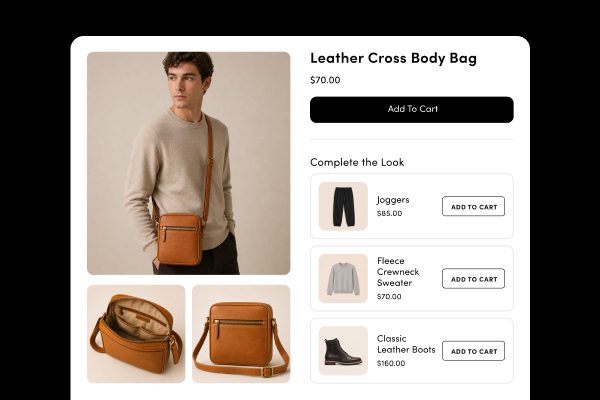
Complete the look
“Sell the outfit, not the shirt.” Drive more multi-item orders by displaying complementary products together so shoppers can buy all the items in a single click.
-
![Dynamic discounts]()
Convert hesitant shoppers
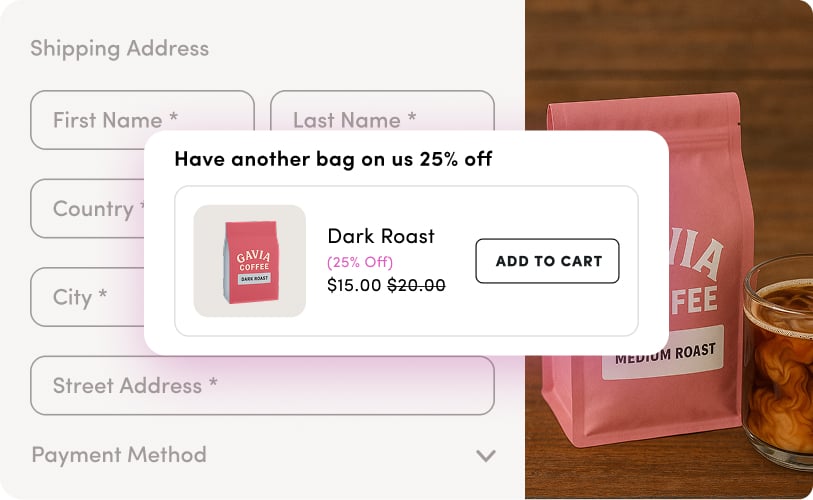
Dynamic discounts
Surface targeted discounts at the right moment for the right shoppers. Discounts update dynamically based on your criteria, ensuring accurate pricing.
-
![Top sellers]()
Increase order value
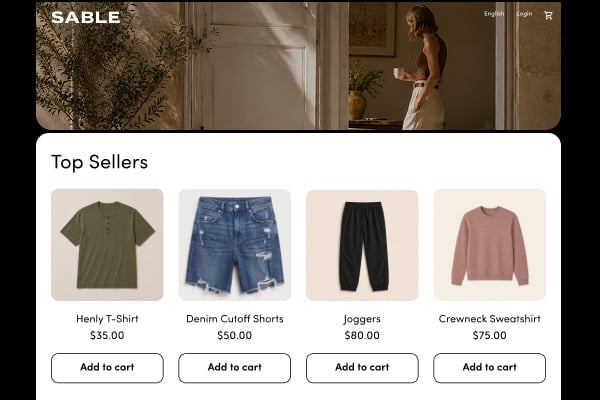
Top sellers
Highlight your best-performing products across any page of your store. Real-time sales data and AI keep recommendations fresh and relevant to each shopper automatically.
-
![Related products and add-ons]()
Accelerate discovery
Related products and add-ons
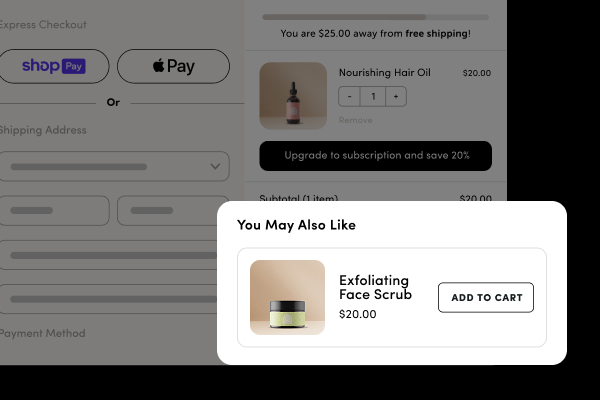
Show shoppers relevant product recommendations based on what they've viewed, added to cart, or purchased. Embed on product pages or trigger pop-ups anywhere.
-
![Frequently bought together]()
Drive complementary purchases
Frequently bought together
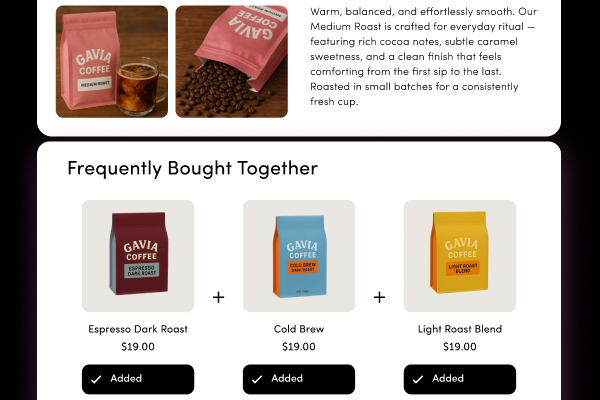
Surface product combinations shoppers commonly buy together, directly on the PDP, and help shoppers complete their purchase with one click.
-
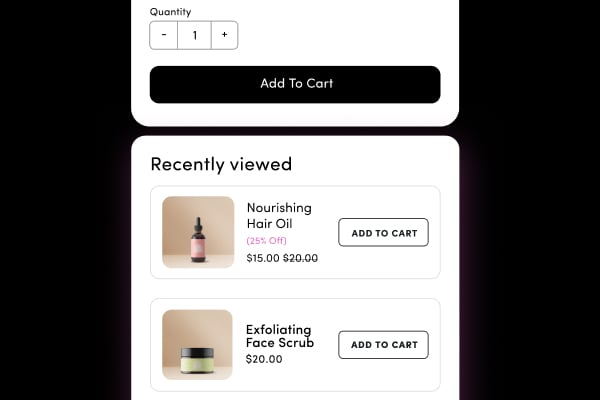
![Recently viewed]()
Reduce navigation fatigue
Recently viewed
Keep shoppers in the flow by surfacing products they've already shown interest in. Reduce bounces and help them pick up where they left off.
How three brands grew AOV 15% to 21% with Merchandising Widgets

Mosh Case Study



Guru Nanda Case Study



Au Vodka Case Study

